As usual… the first build is never reviewed when the next one, with tons of improvements, is lurking behind the corners, eh xD
Version 1.0 answered one question: can this phone be trusted for your gaming timer needs? Version 1.1 came out of a question I didn’t have an answer for, asked by someone who plays on two devices.
What follows is the same kind of write-up as last time: not the architecture, the list of things that were silently wrong while every build said BUILD SUCCESSFUL. Six of them, and the last one is the worst bug this app has had.
The feature I was asked for doesn’t exist
The question was reasonable: two phones, same timers, no accounts, no internet. How do you keep them in sync?
You don’t. Not “it’s hard” — the thing itself isn’t there. Every way two devices can talk needs a transport, and on Android every transport needs the network permission, including the ones that never leave your living room. A socket to a device on the same Wi-Fi is the same permission as a socket to a server in Helsinki. Bluetooth has its own permissions and its own pairing dance. There is no “local only” exemption, because from the operating system’s side there’s no way to tell the difference.
So the honest answer to “can we sync offline” was: only by deleting the one promise the app actually keeps.
Then I thought about it properly, and the sync was never the requirement. If you play on two devices you don’t want the same alarms on both — they’d both ring, one of them in another room, for a thing you already handled. What you want is for this device to know about the games you play on it.
That’s not sync. That’s a profile per game, and it should have been in 1.0.
Eight tiles, and a preset that isn’t a switch
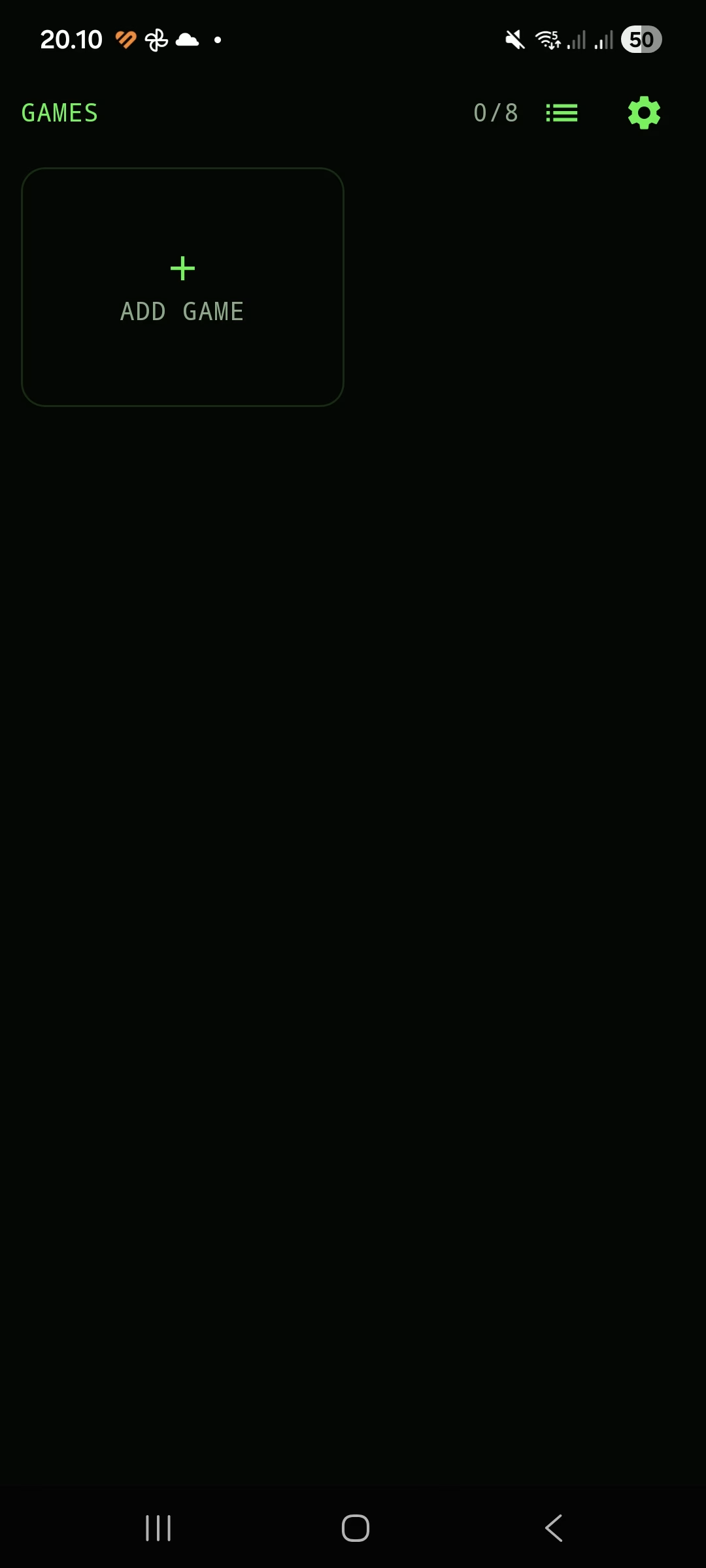
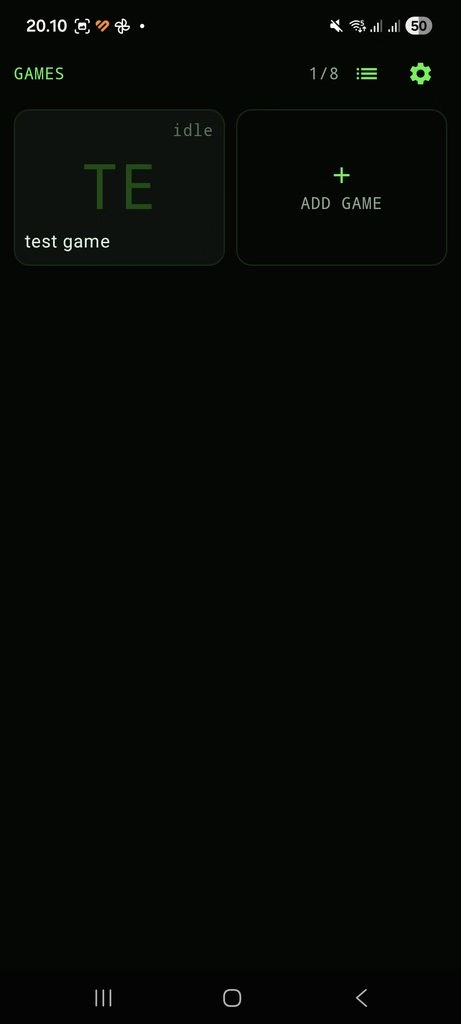
So: a grid. One tile per game, your own cover image on it, up to eight. Each game gets thirty one-shot timers and six repeating ones of its own — separate pools, not a shared allowance divided up.
Eight because eight fits one screen without paging, and because nobody normally plays more than eight games in a day. A cap you can reach is a cap that makes you prioritise. Unlimited would have meant paging, and paging a thing you’re meant to glance at is worse than a limit.
The decision that mattered is the one that isn’t visible: a preset is a view, not a switch. Every row in every preset is always armed. The grid decides what you’re looking at, never what’s running.
The alternative — active preset, inactive presets — is seductive and wrong. It produces exactly one failure: an alarm that didn’t ring because you were looking at a different tile. That is the precise bug class this app has a watchdog and a boot receiver for. Building it in deliberately, in the name of tidiness, would undo the only thing the app is for.
Which forces two things that look like niceties and aren’t: every tile shows how many of its rows are armed, and there’s an ALL view that lists the entire armed set regardless of preset. Without those, an armed alarm can be invisible — and an invisible armed alarm is worse than no alarm, because you’re counting on it.
Two things cannot ring in the same second
Thirty games, a few minutes each, every one with its own timers. The thing that breaks isn’t capacity, it’s collision: game B says add iron at the same moment game A says boss window and game C says caravan leaves. One screen, three names, and you’ve lost the one piece of information you needed — which game to log into.
One rule: the same second collides. Nothing else.
Clock alarms land on whole minutes by construction, so two alarms on one minute are automatically the same instant — “one event per minute on the clock” falls out without a rule of its own. Two timers on the same minute at different seconds do not collide, and must not: the duration editor has a seconds field, and it has to mean something. A fleet finishes in two hours, four minutes, ten seconds. A timer without seconds is not a timer.
The comparisons aren’t one algorithm:
- one-shot against one-shot — compare the two instants
- one-shot against repeating — an exact membership test, no horizon, because the question has an exact answer
- repeating against repeating — enumerate the sparser series over a 90-day horizon
The horizon is a limit, and limits get written down rather than hidden: two intervals that first meet in four months are not caught. Neither is a clock time that daylight saving deletes — 03:30 doesn’t exist on the spring forward night and becomes 04:30, possibly on top of something. Both end the same accepted way: they ring together, one screen, two names, which the app already does properly. There’s a test nailing the spring-forward behaviour so it stays deliberate instead of becoming a surprise.
The part I got wrong first: I put the check in the screen where you create a timer. That’s the obvious place and it’s the wrong one. Collisions appear with nobody creating anything — switching a row back on, restarting a timer, and snoozing all produce a new instant that has never been checked against anything.
Snooze was the worst of them. It gave every row on the ringing screen the same +5 minutes, which means the rule was being broken by the code that enforced it. Now each row finds its own free minute, and the check lives on every write path instead of in one dialog.
And when something does collide: no automatic moving. Ever. You get told what’s in the way and offered a button — Next free: 20:16. An app that silently relocates your alarm is the same failure as a full-screen alarm that silently became a notification: it did something reasonable, it didn’t tell you, and you found out at the wrong time.
Backup, and the three things it deliberately forgets
Sharing presets would have needed per-row identities, modification timestamps and “tombstones” — the entire merge machinery. A backup needs none of it, because restore replaces everything. A merging restore isn’t a restore.
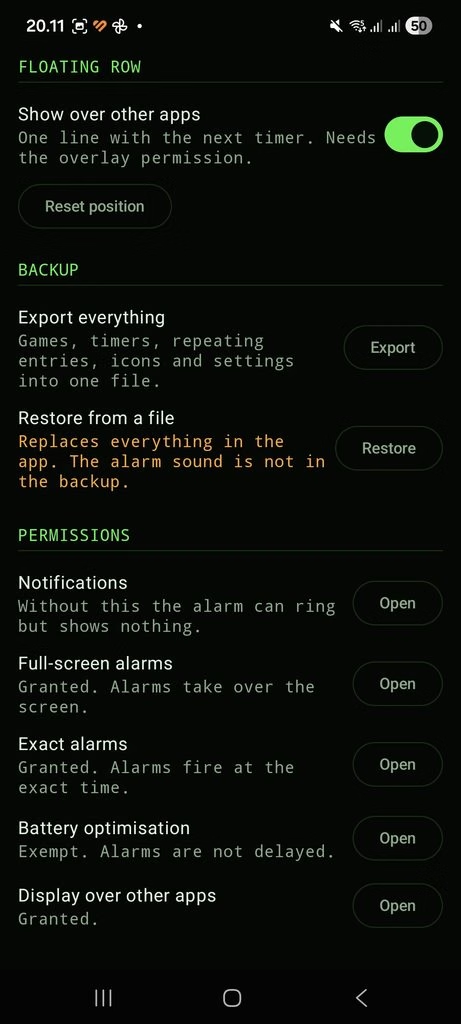
One versioned JSON file you move yourself. Writing and reading a document the user picked needs no permission at all, which keeps the manifest exactly as empty as it was.
Three things stay out on purpose:
- The sound file. Permission to read a file you picked is tied to this installation and dies with it. A dead reference would show up in settings as a chosen file that cannot play, so the old choice is cleared too.
- The floating row’s position. A pixel coordinate from a different screen size is not the same place.
- Nothing else. Armed state travels, including icons as base64. A new phone and a factory reset are precisely the cases where you need it.
Three things happen at restore rather than at export, because they need to know what time it is now: a firing that is already in the past comes in marked as fired rather than ringing immediately (a three-week-old file is a stack of those); a row that collides with something comes in switched off, visible in the list, not silently moved or dropped; and the icons get written to disk with the leftovers swept up.
A file read off a disk is untrusted input — hand-edited, from another version, or truncated. So every limit is re-checked on the way in, strings are truncated, unrecognisable rows are dropped, and the drops are counted so you can be told what didn’t make it. An unknown format version is refused rather than guessed at.
I also designed an automatic export before the database migration, as a safety net, and then deleted it before writing it. It would have protected against the wrong thing: the migration runs in a transaction, so a failure rolls back and leaves the old database intact. Nothing is lost; the app just won’t start until a fixed build arrives. The protection that matters is a backup the user made on purpose, and that now exists.
Two bugs in one file, both readable, neither testable
Picking an image answered “could not read that image”. Every file, every time. The cause is four lines, and the fourth is the elvis operator:
context.contentResolver.openInputStream(source)?.use {
    BitmapFactory.decodeStream(it, null, bounds)
} ?: return null          // <-- hits EVERY time
Reading an image’s dimensions without loading it is a standard move: set a flag, decode, read the size off the options object. The flag is inJustDecodeBounds, and with it set the decode always returns null — by design, that’s the whole point, the dimensions come back in the options. So that ?: return null looks like a null check on the stream and is actually checking the result of a call that is documented to return nothing. It fired on every image that has ever existed.
It’s fixed, but the fix isn’t the deleted line: measuring is now its own function whose return value is the measurement. The same mistake can’t be written again by accident.
The second bug is in the same file, and no user would ever have connected the two. The cleanup that deletes icons no preset points at was running on every launch with an empty list, and deleting all of them. The list of presets arrives asynchronously; its initial value is empty; the cleanup fired on that initial value before the real data showed up. Your cover images vanished and nothing told you why.
The arithmetic in that file is unit-tested now, and it would not have caught either of these. In a JVM test the Android image decoder is a stub that throws. Both were found by reading the code the bug report pointed at, which is the unglamorous answer and the only one that worked.
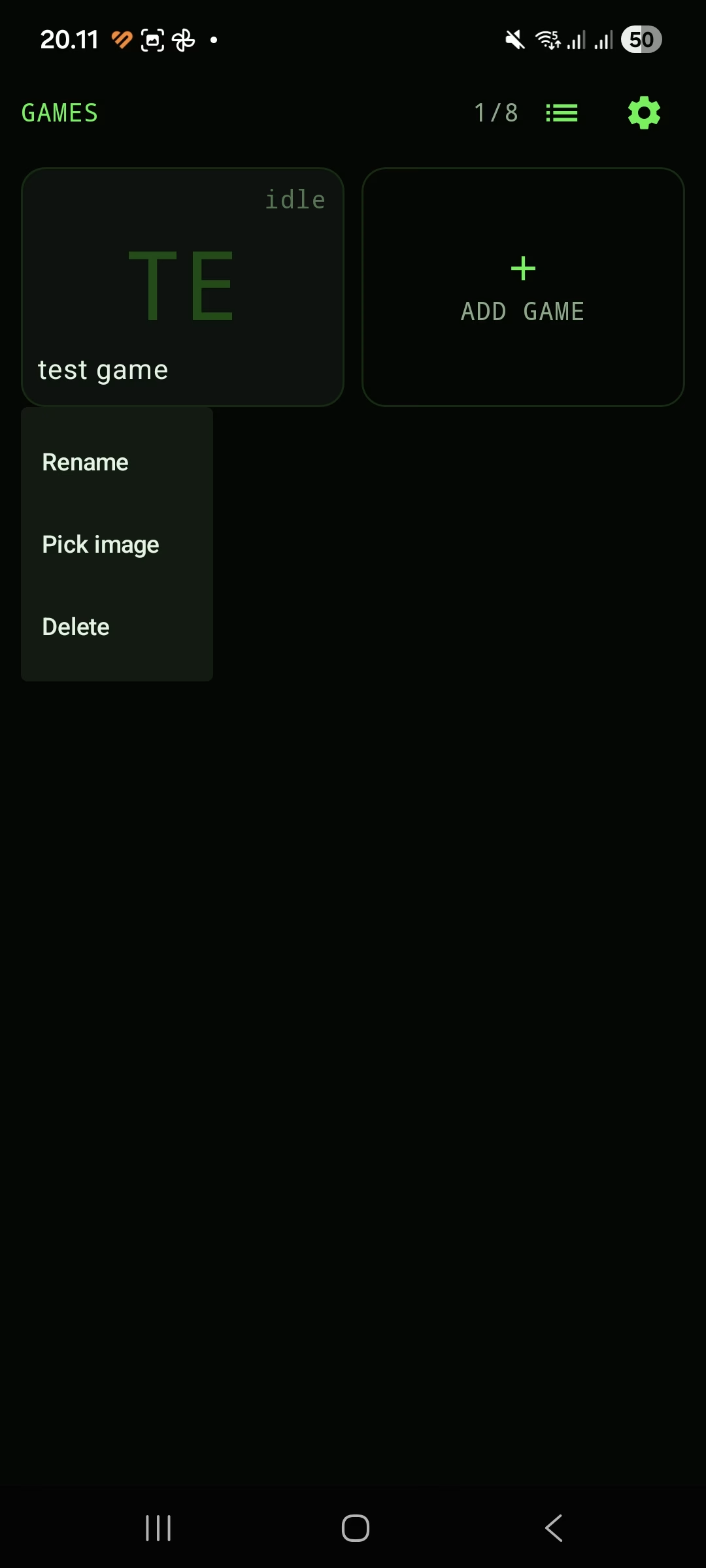
While I was in there: the first version of the cover image was a 44 dp badge in the corner of the tile (testcase). It fills the tile now. And the size it’s saved at is read from the tile’s actual measured width rather than a constant, because a constant is wrong twice: a needlessly big file on a phone, a stretched image on a tablet, where that tile is nearly twice as wide. Clamped to a sane range, same number used for saving and loading so they can’t disagree.
The one that kept ringing with no way to stop it
Found on a phone, in the last round of testing before this went anywhere near an internal release track. It is the worst bug this app has had, and it was in 1.0 too.
Two one-minute timers, started a couple of seconds apart, in two different games. Rings that land within about a second and a half of each other get bundled into one ring on purpose — the system doesn’t promise millisecond precision, and two alarm screens a second apart is nobody’s idea of helpful. These were further apart than that, so the ringing service got two separate starts.
And each start built a new media player on top of the old one, leaving nothing pointing at the old one.
Two sounds at once. The notification replaced by the newer one. And when you dismissed the alarm that was on screen, the stop reached the player it could still see — the other one kept going. No button. No notification. No screen. Deleting the timers from the app didn’t help and couldn’t: a media player doesn’t read the database. Only force-stopping the app made it stop.
The fix isn’t a null check in the right place, because the shape was wrong. A second firing now joins the ring that’s already playing instead of starting another one: one sound, one notification, one list of names with both rows on it, and dismiss silences all of it. Starting a sound stops the previous player first, unconditionally, so an orphan can’t exist even if some future code path calls it at the wrong moment. The alarm screen reads the ringing state from the service rather than from the intent that opened it, which is also what makes both names appear on one screen — previously the second firing overwrote the first one’s name, so two alarms ringing showed you one name.
And when the ring ends on its own, by timeout, the screen now closes. It used to stay up, offering a Dismiss button for something that had already stopped.
The merging logic is unit-tested. The orphan player can’t be — stub again — so what’s tested is the state the number of players is derived from.
Smaller, still worth the evening
- Landscape was broken and portrait was fine. Rows cut off, nothing scrollable. Both screens had a fixed column sized for portrait height. The grid now picks its column count from which direction is tight rather than an orientation flag, so it also behaves in split screen and on a folding phone. Scrolling went into the three screens that lacked it, and the most important one is the alarm screen: three names and half the height meant Dismiss was off-screen at the exact moment the alarm was ringing. Material’s dialogs don’t scroll their own contents either, which matters for the two dialogs that can run long.
- The migration is the one irreversible step in an update, so it gets verified by a script before release: the migration SQL is read out of the source file, applied to the schema the database library exported for the old version, and the result compared against the new one. That caught a column-order difference that would have made the app throw on launch and take every armed alarm with it. Adding a column puts it at the end of the table, so the entity has to declare it last too.
What 1.1 is
Eight games, each with its own thirty timers and six repeating ones, all of them armed all of the time whichever tile you’re looking at. A rule that two things cannot ring in the same second, enforced on every path that can create an instant, including the snooze button that used to break it. A backup file you move yourself, which replaces rather than merges, and forgets three things on purpose. The alarm screen tells you which game.
WpE Timer. Free, offline, and on Google Play soon!